class: center, middle, inverse, title-slide # Introduction to Tidyverse: Data Manipulation ## IPSA-Flacso Summer School ### Tiago Ventura --- # Plans for Today <br><br> 1. Introduction to Tidyverse. 2. Data manipulation with dplyr. 3. Working with relational data with dplyr. --- # Data Manipulation 90% of our work as applied researchers consists of data wrangling and preparation.. this process involves ... - manipulate variables - join databases - change the format of the data - cleaning... For all these tasks, we will use the packages from `tidyverse` --- # Tidyverse `Tidyverse` is a family of R packages. These packages share the same underlying design, philosophy, grammar and data structures. The purpose of `tidyverse` is to provide an integrated set of tools for using R as a language in data science. These are the main packages of `tidyverse`: - `dplyr`: for data manipulation. - `ggplot2`: for data visualization. - `tidyr`: to prepare your data for analysis. - `purrr`: to optimize your code and for functional programming. - `readr`: to open and organize the data. - `stringr`: for manipulating text objects. - `forcats`: for manipulation of the class factors. --- # Advantages of the Tidyverse ... in a gif .center[ <img src="https://media.giphy.com/media/elUGwgiPOdq7e/giphy.gif" width=" 60% " /> ] --- # Advantages of the Tidyverse ... in words. - `tidyverse` substantially facilitates data analysis tasks when compared to basic R codes. - It substantially increases how readable your code looks. - Manipulation, visualization and modeling are integrated in a single philosophy. - It is widely used in the R community. Therefore, you probably need to learn to read code from other colleagues. --- class: middle, center # Introduction to Tidyverse --- ## Installation ```r install.packages("tidyverse") ``` ```r library(tidyverse) ``` --- ## Tibbles. The fundamental object of `tidyverse` are databases. `Tidyverse` call databases with a new name: "tibbles". In the tidyverse world, tibbles are a updated version of the `dataframe` base class in R. Tibbles are exactly the same as `data.frames` in their basic structure. However, tibbles have some adjustments - most of them visual - to make them easier to use. --- ## Creating Tibbles. -- .pull-left[ ```r # Class of mtcars Database class (mtcars) ``` ``` ## [1] "data.frame" ``` ```r # Convert to tibbles mtcars_tib <- as_tibble(mtcars) mtcars_tib ``` ``` ## # A tibble: 32 x 11 ## mpg cyl disp hp drat wt qsec vs am gear carb ## <dbl> <dbl> <dbl> <dbl> <dbl> <dbl> <dbl> <dbl> <dbl> <dbl> <dbl> ## 1 21 6 160 110 3.9 2.62 16.5 0 1 4 4 ## 2 21 6 160 110 3.9 2.88 17.0 0 1 4 4 ## 3 22.8 4 108 93 3.85 2.32 18.6 1 1 4 1 ## 4 21.4 6 258 110 3.08 3.22 19.4 1 0 3 1 ## 5 18.7 8 360 175 3.15 3.44 17.0 0 0 3 2 ## 6 18.1 6 225 105 2.76 3.46 20.2 1 0 3 1 ## 7 14.3 8 360 245 3.21 3.57 15.8 0 0 3 4 ## 8 24.4 4 147. 62 3.69 3.19 20 1 0 4 2 ## 9 22.8 4 141. 95 3.92 3.15 22.9 1 0 4 2 ## 10 19.2 6 168. 123 3.92 3.44 18.3 1 0 4 4 ## # … with 22 more rows ``` ] -- .pull-right[ ```r tibble (a = c ("Tiago", "Ventura"), b = c ("first name", "last name")) ``` ``` ## # A tibble: 2 x 2 ## a b ## <chr> <chr> ## 1 Tiago first name ## 2 Ventura last name ``` ] -- --- ## Pipe. .pull-left[ <img src="figs/pipe.jpg" width=" 60% " /> ] .pull-right[ The use of `%>%` pipes is a fundamental part of how the functions from the `tidyverse` packages work. The main advantages of the pipe: - Concatenate the functions of your code. - Avoid intermediate objects. - Make your codes more intuitive. - Avoids multiple parentheses. ] --- ### The base R works from the inside out: ```r # R x <- c(1:10) round(exp(sqrt(mean (x))), 1) ``` ``` ## [1] 10.4 ``` ### The Pipe ```r x%>% mean()%>% sqrt()%>% exp()%>% round(1) ``` ``` ## [1] 10.4 ``` --- # Important notes about pipes. **1. Pipes should always be used to connect functions and their outputs.** ```r # Do not run this code. x%>% function1(arg1 = x)%>% function2(arg = output_da_funcao1) ``` **Example:** ```r sample(1: 1000, 500, replace = TRUE)%>% density()%>% # function 1. plot() # function 2. ``` <img src="intro_tidyverse_flacso_files/figure-html/unnamed-chunk-10-1.png" width="30%" /> --- **2. The input from a pipe can always be omitted, or represented by the shortcut `.` ** ```r sample(1:1000, 500, replace = TRUE)%>% density(.)%>% # function 1. plot(.) # function 2. ``` <!-- --> --- **3. The results of the pipe are not saved automatically. You need to assign them to a new object.** ```r graph <- sample (1: 1000, 500, replace = TRUE)%>% density (.)%>% # function 1. plot (.) # function 2. ``` 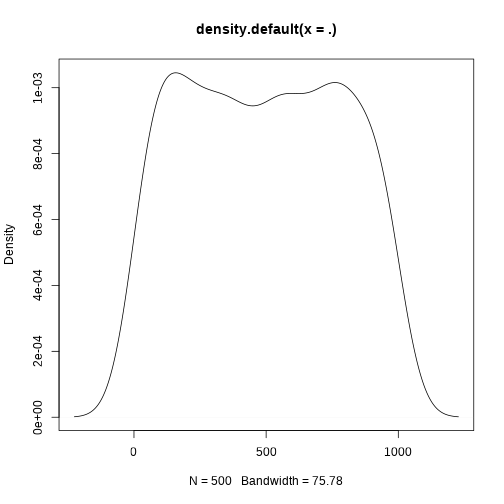<!-- --> --- class: middle, center, inverse # Data manipulation with dplyr. --- ## Brazilian Electoral Data: ```r if(!require ("devtools")) install.packages("devtools") devtools::install_github("Cepesp-Fgv/cepesp-r") ``` ```r library(cepespR) library(tidyverse) pres_rio <- get_votes(year = 2018, position = "President", regional_aggregation = "Municipio", state = "RJ")%>% as_tibble() ``` --- ## Introduction to Dplyr. The idea behind the `dplyr` functions is simple: its functions do exactly what their names describe (**verb based language**). These are the most useful functions: .pull-left[ - `select()`: to select columns. - `filter()`: to filter the database by rows - `mutate()`: to create new variables and change existing ones. - `arrange()`: to sort the database. - `group_by()`: to group and perform analyses within the subgroups. - `summarize()`: to summarize the data -- as a whole or by subgroups. ] .pull-right[ All of these functions follow the same structure: - The input is always a database (tibble or dataframe). - The database is always the first argument. - The following arguments will access database columns directly, **without quotes.** - The output is always a new database. ] --- **Some other less used functions**: - `count()`: to count the number of observations by subgroups. - `distinct()`: to eliminate repetitions. - `n():` to count how many observations there are in grouped data. - `sample_n():` to select n samples from your database - `glimpse():` to provide a summary of your data. - `top_n():` to select by rows according to the rank of the variables. - `slice()`: to filter your database by position in the rows. --- # Select: Select Columns. <img src="figs/select.png" width=" 80% " /> --- ## Basics ```r pres_rio %>% # Data * select(ANO_ELEICAO, SIGLA_UE, COD_MUN_IBGE) ``` ``` ## # A tibble: 1,374 x 3 ## ANO_ELEICAO SIGLA_UE COD_MUN_IBGE ## <int> <chr> <int> ## 1 2018 BR 3300100 ## 2 2018 BR 3300100 ## 3 2018 BR 3300100 ## 4 2018 BR 3300100 ## 5 2018 BR 3300100 ## 6 2018 BR 3300100 ## 7 2018 BR 3300100 ## 8 2018 BR 3300100 ## 9 2018 BR 3300100 ## 10 2018 BR 3300100 ## # … with 1,364 more rows ``` --- ## Reordering Columns ```r pres_rio %>% # Data # select columns * select(QTDE_VOTOS, ANO_ELEICAO, SIGLA_UE, * NOME_MUNICIPIO, COD_MUN_IBGE) # ``` ``` ## # A tibble: 1,374 x 5 ## QTDE_VOTOS ANO_ELEICAO SIGLA_UE NOME_MUNICIPIO COD_MUN_IBGE ## <int> <int> <chr> <chr> <int> ## 1 8696 2018 BR Angra dos Reis 3300100 ## 2 13204 2018 BR Angra dos Reis 3300100 ## 3 565 2018 BR Angra dos Reis 3300100 ## 4 34 2018 BR Angra dos Reis 3300100 ## 5 59499 2018 BR Angra dos Reis 3300100 ## 6 662 2018 BR Angra dos Reis 3300100 ## 7 349 2018 BR Angra dos Reis 3300100 ## 8 32 2018 BR Angra dos Reis 3300100 ## 9 998 2018 BR Angra dos Reis 3300100 ## 10 1909 2018 BR Angra dos Reis 3300100 ## # … with 1,364 more rows ``` --- ## Renaming Columns ```r pres_rio %>% # selects columns with new names. * select(votes = QTDE_VOTOS, * year = ANO_ELEICAO, * parents = SIGLA_UE, * mun = NOME_MUNICIPIO, cod = COD_MUN_IBGE) # columns ``` ``` ## # A tibble: 1,374 x 5 ## votes year parents mun cod ## <int> <int> <chr> <chr> <int> ## 1 8696 2018 BR Angra dos Reis 3300100 ## 2 13204 2018 BR Angra dos Reis 3300100 ## 3 565 2018 BR Angra dos Reis 3300100 ## 4 34 2018 BR Angra dos Reis 3300100 ## 5 59499 2018 BR Angra dos Reis 3300100 ## 6 662 2018 BR Angra dos Reis 3300100 ## 7 349 2018 BR Angra dos Reis 3300100 ## 8 32 2018 BR Angra dos Reis 3300100 ## 9 998 2018 BR Angra dos Reis 3300100 ## 10 1909 2018 BR Angra dos Reis 3300100 ## # … with 1,364 more rows ``` --- ## Saving a new dataset. ```r rio_reduced <- pres_rio %>% # Data # selects columns with new names. * select(votes = QTDE_VOTOS, * year = ANO_ELEICAO, * states = SIGLA_UE, * mun = NOME_MUNICIPIO, cod = COD_MUN_IBGE)# columns ``` --- ## Shortcuts for Select. - `contains ()` - Extract columns that contain certain text. - `starts_with ()` - Extract columns that start with a given text. - `ends_with ()` - Extract columns that end with a given text. - `everything ()` - Extract all remaining columns. --- ## Examples ```r pres_rio %>% # select columns where NOME appears * select(contains("NOME")) ``` ``` ## # A tibble: 1,374 x 5 ## NOME_MACRO NOME_UF NOME_MESO NOME_MICRO NOME_MUNICIPIO ## <chr> <chr> <chr> <chr> <chr> ## 1 Sudeste Rio de Janeiro Sul Fluminense Baía da Ilha Grande Angra dos Reis ## 2 Sudeste Rio de Janeiro Sul Fluminense Baía da Ilha Grande Angra dos Reis ## 3 Sudeste Rio de Janeiro Sul Fluminense Baía da Ilha Grande Angra dos Reis ## 4 Sudeste Rio de Janeiro Sul Fluminense Baía da Ilha Grande Angra dos Reis ## 5 Sudeste Rio de Janeiro Sul Fluminense Baía da Ilha Grande Angra dos Reis ## 6 Sudeste Rio de Janeiro Sul Fluminense Baía da Ilha Grande Angra dos Reis ## 7 Sudeste Rio de Janeiro Sul Fluminense Baía da Ilha Grande Angra dos Reis ## 8 Sudeste Rio de Janeiro Sul Fluminense Baía da Ilha Grande Angra dos Reis ## 9 Sudeste Rio de Janeiro Sul Fluminense Baía da Ilha Grande Angra dos Reis ## 10 Sudeste Rio de Janeiro Sul Fluminense Baía da Ilha Grande Angra dos Reis ## # … with 1,364 more rows ``` ```r pres_rio %>% # select columns ending with UF and # all other remaining columns * select(ends_with("UF"), everything()) ``` ``` ## # A tibble: 1,374 x 19 ## UF NOME_UF ANO_ELEICAO SIGLA_UE NUM_TURNO DESCRICAO_ELEICAO CODIGO_CARGO ## <chr> <chr> <int> <chr> <int> <chr> <int> ## 1 RJ Rio de J… 2018 BR 1 ELEIÇÃO GERAL FE… 1 ## 2 RJ Rio de J… 2018 BR 1 ELEIÇÃO GERAL FE… 1 ## 3 RJ Rio de J… 2018 BR 1 ELEIÇÃO GERAL FE… 1 ## 4 RJ Rio de J… 2018 BR 1 ELEIÇÃO GERAL FE… 1 ## 5 RJ Rio de J… 2018 BR 1 ELEIÇÃO GERAL FE… 1 ## 6 RJ Rio de J… 2018 BR 1 ELEIÇÃO GERAL FE… 1 ## 7 RJ Rio de J… 2018 BR 1 ELEIÇÃO GERAL FE… 1 ## 8 RJ Rio de J… 2018 BR 1 ELEIÇÃO GERAL FE… 1 ## 9 RJ Rio de J… 2018 BR 1 ELEIÇÃO GERAL FE… 1 ## 10 RJ Rio de J… 2018 BR 1 ELEIÇÃO GERAL FE… 1 ## # … with 1,364 more rows, and 12 more variables: DESCRICAO_CARGO <chr>, ## # NUMERO_CANDIDATO <int>, CODIGO_MACRO <int>, NOME_MACRO <chr>, ## # CODIGO_MESO <int>, NOME_MESO <chr>, CODIGO_MICRO <int>, NOME_MICRO <chr>, ## # COD_MUN_TSE <int>, COD_MUN_IBGE <int>, NOME_MUNICIPIO <chr>, ## # QTDE_VOTOS <int> ``` --- ## Filter: Filters Rows by Logical Conditions. filter (data, column == "a") <img src="figs/filter.png" width="80%" /> --- ## Filter: Basics ```r pres_rio %>% # filter cases where 17 is equal. * filter (NUMERO_CANDIDATO == 17)%>% # select select (DESCRICAO_CARGO, NUMERO_CANDIDATO, QTDE_VOTOS, NOME_MUNICIPIO) ``` ``` ## # A tibble: 184 x 4 ## DESCRICAO_CARGO NUMERO_CANDIDATO QTDE_VOTOS NOME_MUNICIPIO ## <chr> <int> <int> <chr> ## 1 PRESIDENTE 17 59499 Angra dos Reis ## 2 PRESIDENTE 17 4366 Aperibé ## 3 PRESIDENTE 17 44108 Araruama ## 4 PRESIDENTE 17 3816 Areal ## 5 PRESIDENTE 17 13028 Armação dos Búzios ## 6 PRESIDENTE 17 13342 Arraial do Cabo ## 7 PRESIDENTE 17 27178 Barra do Piraí ## 8 PRESIDENTE 17 55972 Barra Mansa ## 9 PRESIDENTE 17 138676 Belford Roxo ## 10 PRESIDENTE 17 8077 Bom Jardim ## # … with 174 more rows ``` --- ## Filter: Multiple Conditions ```r pres_rio %>% # filter using or * filter(NUMERO_CANDIDATO == 17 | NUMERO_CANDIDATO == 13, # or #filter using and * NOME_MUNICIPIO == "Rio de Janeiro")%>% # and #select select(DESCRICAO_CARGO, NUMERO_CANDIDATO, QTDE_VOTOS, NOME_MUNICIPIO) ``` ``` ## # A tibble: 4 x 4 ## DESCRICAO_CARGO NUMERO_CANDIDATO QTDE_VOTOS NOME_MUNICIPIO ## <chr> <int> <int> <chr> ## 1 PRESIDENTE 13 398033 Rio de Janeiro ## 2 PRESIDENTE 17 1930657 Rio de Janeiro ## 3 PRESIDENTE 13 1105393 Rio de Janeiro ## 4 PRESIDENTE 17 2179896 Rio de Janeiro ``` --- ## Arrange: Sort rows by columns. arrange (date, column) <img src="figs/arrange.png" width="80%" /> --- ## Arrange: Basics. ```r pres_rio %>% # filter by lines filter(NUMERO_CANDIDATO == 13)%>% # select select(DESCRICAO_CARGO, NUMERO_CANDIDATO, QTDE_VOTOS, NOME_MUNICIPIO)%>% # sort in ascending order * arrange(QTDE_VOTOS) ``` ``` ## # A tibble: 184 x 4 ## DESCRICAO_CARGO NUMERO_CANDIDATO QTDE_VOTOS NOME_MUNICIPIO ## <chr> <int> <int> <chr> ## 1 PRESIDENTE 13 830 São José do Vale do Rio Preto ## 2 PRESIDENTE 13 1111 Areal ## 3 PRESIDENTE 13 1115 Santa Maria Madalena ## 4 PRESIDENTE 13 1129 Aperibé ## 5 PRESIDENTE 13 1152 São José de Ubá ## 6 PRESIDENTE 13 1224 Macuco ## 7 PRESIDENTE 13 1241 Varre-Sai ## 8 PRESIDENTE 13 1342 Italva ## 9 PRESIDENTE 13 1448 São Sebastião do Alto ## 10 PRESIDENTE 13 1455 Duas Barras ## # … with 174 more rows ``` --- ## Arrange: Descending ```r pres_rio %>% # filter by lines filter(NUMERO_CANDIDATO == 13)%>% # select select(DESCRICAO_CARGO, NUMERO_CANDIDATO, QTDE_VOTOS, NOME_MUNICIPIO)%>% # sort in descending order arrange(desc(QTDE_VOTOS)) # << ``` ``` ## # A tibble: 184 x 4 ## DESCRICAO_CARGO NUMERO_CANDIDATO QTDE_VOTOS NOME_MUNICIPIO ## <chr> <int> <int> <chr> ## 1 PRESIDENTE 13 1105393 Rio de Janeiro ## 2 PRESIDENTE 13 398033 Rio de Janeiro ## 3 PRESIDENTE 13 149075 São Gonçalo ## 4 PRESIDENTE 13 136240 Duque de Caxias ## 5 PRESIDENTE 13 110820 Nova Iguaçu ## 6 PRESIDENTE 13 105606 Niterói ## 7 PRESIDENTE 13 80858 São Gonçalo ## 8 PRESIDENTE 13 79838 Campos dos Goytacazes ## 9 PRESIDENTE 13 77504 Duque de Caxias ## 10 PRESIDENTE 13 70499 São João de Meriti ## # … with 174 more rows ``` --- ## Mutate: Adds a new column. mutate (date, new_column_name = new_column_values) <img src="figs/mutate.png" width=" 80% " /> --- ### Mutate: Basics ```r pres_rio %>% # create variable with state and city * mutate(city_state = paste(NOME_MUNICIPIO, "-", NOME_UF)) %>% #selects to view select (NOME_MUNICIPIO, NOME_UF, city_state) ``` ``` ## # A tibble: 1,374 x 3 ## NOME_MUNICIPIO NOME_UF city_state ## <chr> <chr> <chr> ## 1 Angra dos Reis Rio de Janeiro Angra dos Reis - Rio de Janeiro ## 2 Angra dos Reis Rio de Janeiro Angra dos Reis - Rio de Janeiro ## 3 Angra dos Reis Rio de Janeiro Angra dos Reis - Rio de Janeiro ## 4 Angra dos Reis Rio de Janeiro Angra dos Reis - Rio de Janeiro ## 5 Angra dos Reis Rio de Janeiro Angra dos Reis - Rio de Janeiro ## 6 Angra dos Reis Rio de Janeiro Angra dos Reis - Rio de Janeiro ## 7 Angra dos Reis Rio de Janeiro Angra dos Reis - Rio de Janeiro ## 8 Angra dos Reis Rio de Janeiro Angra dos Reis - Rio de Janeiro ## 9 Angra dos Reis Rio de Janeiro Angra dos Reis - Rio de Janeiro ## 10 Angra dos Reis Rio de Janeiro Angra dos Reis - Rio de Janeiro ## # … with 1,364 more rows ``` --- ### Mutate: Conditionals ```r pres_rio %>% # create variable using conditionals * mutate(state_sigla = ifelse(NOME_UF == "Rio de Janeiro", "RJ", NA), # concatenate new variable with city * state_city = paste(state_sigla, "-", NOME_MUNICIPIO)) %>% #select select(NOME_UF, NOME_MUNICIPIO, state_sigla, everything()) ``` ``` ## # A tibble: 1,374 x 21 ## NOME_UF NOME_MUNICIPIO state_sigla ANO_ELEICAO SIGLA_UE NUM_TURNO ## <chr> <chr> <chr> <int> <chr> <int> ## 1 Rio de Janeiro Angra dos Reis RJ 2018 BR 1 ## 2 Rio de Janeiro Angra dos Reis RJ 2018 BR 1 ## 3 Rio de Janeiro Angra dos Reis RJ 2018 BR 1 ## 4 Rio de Janeiro Angra dos Reis RJ 2018 BR 1 ## 5 Rio de Janeiro Angra dos Reis RJ 2018 BR 1 ## 6 Rio de Janeiro Angra dos Reis RJ 2018 BR 1 ## 7 Rio de Janeiro Angra dos Reis RJ 2018 BR 1 ## 8 Rio de Janeiro Angra dos Reis RJ 2018 BR 1 ## 9 Rio de Janeiro Angra dos Reis RJ 2018 BR 1 ## 10 Rio de Janeiro Angra dos Reis RJ 2018 BR 1 ## # … with 1,364 more rows, and 15 more variables: DESCRICAO_ELEICAO <chr>, ## # CODIGO_CARGO <int>, DESCRICAO_CARGO <chr>, NUMERO_CANDIDATO <int>, ## # CODIGO_MACRO <int>, NOME_MACRO <chr>, UF <chr>, CODIGO_MESO <int>, ## # NOME_MESO <chr>, CODIGO_MICRO <int>, NOME_MICRO <chr>, COD_MUN_TSE <int>, ## # COD_MUN_IBGE <int>, QTDE_VOTOS <int>, state_city <chr> ``` --- ### Mutate: Mathematical Operations. ```r pres_rio %>% # log of votes * mutate(log_votos = log(QTDE_VOTOS)) %>% # select * select(QTDE_VOTOS, log_votos) ``` ``` ## # A tibble: 1,374 x 2 ## QTDE_VOTOS log_votos ## <int> <dbl> ## 1 8696 9.07 ## 2 13204 9.49 ## 3 565 6.34 ## 4 34 3.53 ## 5 59499 11.0 ## 6 662 6.50 ## 7 349 5.86 ## 8 32 3.47 ## 9 998 6.91 ## 10 1909 7.55 ## # … with 1,364 more rows ``` --- ## Group_by + Summarize. <img src="figs/group_by.png" width="60%" /> --- ### Group_by The `group_by` function works splitting -- under the hood -- your database according unique subgroups of a particular variable. Let's see an example: ```r pres_rio %>% # grouping by the number of the candidates group_by(NUMERO_CANDIDATO) ``` ``` ## # A tibble: 1,374 x 19 ## # Groups: NUMERO_CANDIDATO [13] ## ANO_ELEICAO SIGLA_UE NUM_TURNO DESCRICAO_ELEICAO CODIGO_CARGO DESCRICAO_CARGO ## <int> <chr> <int> <chr> <int> <chr> ## 1 2018 BR 1 ELEIÇÃO GERAL FE… 1 PRESIDENTE ## 2 2018 BR 1 ELEIÇÃO GERAL FE… 1 PRESIDENTE ## 3 2018 BR 1 ELEIÇÃO GERAL FE… 1 PRESIDENTE ## 4 2018 BR 1 ELEIÇÃO GERAL FE… 1 PRESIDENTE ## 5 2018 BR 1 ELEIÇÃO GERAL FE… 1 PRESIDENTE ## 6 2018 BR 1 ELEIÇÃO GERAL FE… 1 PRESIDENTE ## 7 2018 BR 1 ELEIÇÃO GERAL FE… 1 PRESIDENTE ## 8 2018 BR 1 ELEIÇÃO GERAL FE… 1 PRESIDENTE ## 9 2018 BR 1 ELEIÇÃO GERAL FE… 1 PRESIDENTE ## 10 2018 BR 1 ELEIÇÃO GERAL FE… 1 PRESIDENTE ## # … with 1,364 more rows, and 13 more variables: NUMERO_CANDIDATO <int>, ## # CODIGO_MACRO <int>, NOME_MACRO <chr>, UF <chr>, NOME_UF <chr>, ## # CODIGO_MESO <int>, NOME_MESO <chr>, CODIGO_MICRO <int>, NOME_MICRO <chr>, ## # COD_MUN_TSE <int>, COD_MUN_IBGE <int>, NOME_MUNICIPIO <chr>, ## # QTDE_VOTOS <int> ``` --- ## Summarize. The `summarize` creates a new data frame based on the summaries you asked the function to perform. When used together with `group_by`, it allows you to easily gather information for subgroups of your dataset. <img src="figs/summarize.png" width="50%" /> --- ## Summarize: Basics. ```r pres_rio %>% # first round filter(NUM_TURNO==1) %>% # group group_by(NUMERO_CANDIDATO) %>% # Summing the number of votes summarise(voto_estado=sum(QTDE_VOTOS)) %>% # arranging arrange(desc(voto_estado)) ``` ``` ## # A tibble: 13 x 2 ## NUMERO_CANDIDATO voto_estado ## <int> <int> ## 1 17 5107735 ## 2 12 1300292 ## 3 13 1255425 ## 4 51 211444 ## 5 45 208325 ## 6 30 139208 ## 7 18 130794 ## 8 15 77333 ## 9 50 57846 ## 10 19 41544 ## 11 16 6005 ## 12 27 4636 ## 13 54 2806 ``` --- class:center, middle, alert ### The summarize goes from multiple to way fewer rows. --- ### More Exaples **Who won the election in the run-off?** ```r pres_rio %>% filter(NUM_TURNO==2) %>% group_by(NUMERO_CANDIDATO) %>% summarise(voto_estado=sum(QTDE_VOTOS)) %>% arrange(desc(voto_estado)) ``` ``` ## # A tibble: 2 x 2 ## NUMERO_CANDIDATO voto_estado ## <int> <int> ## 1 17 5669059 ## 2 13 2673386 ``` --- **Total Number of Votes per Municipality** ```r pres_rio %>% filter(NUM_TURNO==1) %>% group_by(NOME_MUNICIPIO) %>% summarise(voto_mun=sum(QTDE_VOTOS)) ``` ``` ## # A tibble: 92 x 2 ## NOME_MUNICIPIO voto_mun ## <chr> <int> ## 1 Angra dos Reis 88316 ## 2 Aperibé 6680 ## 3 Araruama 64481 ## 4 Areal 6921 ## 5 Armação dos Búzios 19979 ## 6 Arraial do Cabo 20133 ## 7 Barra do Piraí 48942 ## 8 Barra Mansa 96980 ## 9 Belford Roxo 226785 ## 10 Bom Jardim 14090 ## # … with 82 more rows ``` --- **Voters in the Districts** ```r pres_rio %>% filter(NUM_TURNO==1) %>% group_by(NUMERO_CANDIDATO, NOME_MESO) %>% summarise(voto_media=mean(QTDE_VOTOS), voto_min=min(QTDE_VOTOS), voto_max=max(QTDE_VOTOS)) ``` ``` ## # A tibble: 78 x 5 ## # Groups: NUMERO_CANDIDATO [13] ## NUMERO_CANDIDATO NOME_MESO voto_media voto_min voto_max ## <int> <chr> <dbl> <int> <int> ## 1 12 Baixadas 4769. 1157 13478 ## 2 12 Centro Fluminense 2558 403 16254 ## 3 12 Metropolitana do Rio de Janeiro 35187. 702 645674 ## 4 12 Noroeste Fluminense 1393. 296 4684 ## 5 12 Norte Fluminense 6909. 798 33042 ## 6 12 Sul Fluminense 5412. 812 23860 ## 7 13 Baixadas 4409. 1574 10310 ## 8 13 Centro Fluminense 2954. 1111 10664 ## 9 13 Metropolitana do Rio de Janeiro 31261. 830 398033 ## 10 13 Noroeste Fluminense 2789. 1129 8209 ## # … with 68 more rows ``` --- ### Mutate x Summarize. .pull-left[ ```r pres_rio %>% filter(NUM_TURNO==1) %>% group_by(NUMERO_CANDIDATO) %>% mutate(voto_estado=sum(QTDE_VOTOS)) %>% select(NUMERO_CANDIDATO, voto_estado) %>% ungroup() ``` ``` ## # A tibble: 1,190 x 2 ## NUMERO_CANDIDATO voto_estado ## <int> <int> ## 1 12 1300292 ## 2 13 1255425 ## 3 15 77333 ## 4 16 6005 ## 5 17 5107735 ## 6 18 130794 ## 7 19 41544 ## 8 27 4636 ## 9 30 139208 ## 10 45 208325 ## # … with 1,180 more rows ``` ] .pull-right[ ```r pres_rio %>% filter(NUM_TURNO==1) %>% group_by(NUMERO_CANDIDATO) %>% summarize(voto_estado=sum(QTDE_VOTOS)) %>% slice(1:5) ``` ``` ## # A tibble: 5 x 2 ## NUMERO_CANDIDATO voto_estado ## <int> <int> ## 1 12 1300292 ## 2 13 1255425 ## 3 15 77333 ## 4 16 6005 ## 5 17 5107735 ``` ] --- ## Joins Connecting our dataset with information from other sources is crucial in any applied project. Mastering this skill is fundamental for your training! `dplyr` has a set of functions to merge dataframes. These functions are all inspired by another language called **SQL**. When connecting two datasets, we called **keys** the name of the variables used in the merging. These variables must always be unique (one per row) and complete (no missing). --- Let's create two datasets to practice with some `joins` functions. ```r data1 <- tibble(nome=c("A", "B", "C"), value=c(10, 20, 30)) data2 <- tibble(nome=c("A", "D", "C"), value2=c(10, 50, 30)) data1 ``` ``` ## # A tibble: 3 x 2 ## nome value ## <chr> <dbl> ## 1 A 10 ## 2 B 20 ## 3 C 30 ``` ```r data2 ``` ``` ## # A tibble: 3 x 2 ## nome value2 ## <chr> <dbl> ## 1 A 10 ## 2 D 50 ## 3 C 30 ``` --- ### left_join() .pull-left[ <img src="figs/left-join.gif" width="80%" /> ] .pull-right[ ```r left_join(data1, data2) ``` ``` ## # A tibble: 3 x 3 ## nome value value2 ## <chr> <dbl> <dbl> ## 1 A 10 10 ## 2 B 20 NA ## 3 C 30 30 ``` ] --- ### inner_join() .pull-left[ <img src="figs/inner-join.gif" width="80%" /> ] .pull-right[ ```r inner_join(data1, data2) ``` ``` ## # A tibble: 2 x 3 ## nome value value2 ## <chr> <dbl> <dbl> ## 1 A 10 10 ## 2 C 30 30 ``` ] --- ## full_join() .pull-left[ <img src="figs/full-join.gif" width="80%" /> ] .pull-right[ ```r full_join(data1, data2) ``` ``` ## # A tibble: 4 x 3 ## nome value value2 ## <chr> <dbl> <dbl> ## 1 A 10 10 ## 2 B 20 NA ## 3 C 30 30 ## 4 D NA 50 ``` ] --- ### Distinct Keys? ```r data3 <- data2 %>% # alterando o nome select(chave=nome, everything()) # Join left_join(data1, data3, by=c("nome"="chave")) # adicione argumento by. ``` ``` ## # A tibble: 3 x 3 ## nome value value2 ## <chr> <dbl> <dbl> ## 1 A 10 10 ## 2 B 20 NA ## 3 C 30 30 ``` --- ## Bindings multiple data frames Other than connecting relational datasets using unique keys, sometimes we just need to bind them. We can bind dataframes using the rows (pile them vertically) or columns (pile them horizontally) Both tasks are easy to do with `dplyr`. <img src="figs/bind.png" width="80%" /> --- ### bind_rows: vertical .pull-left[ ```r bind_rows(data1, data2) ``` ``` ## # A tibble: 6 x 3 ## nome value value2 ## <chr> <dbl> <dbl> ## 1 A 10 NA ## 2 B 20 NA ## 3 C 30 NA ## 4 A NA 10 ## 5 D NA 50 ## 6 C NA 30 ``` ```r # add id bind_rows(data1, data2, .id="id") ``` ``` ## # A tibble: 6 x 4 ## id nome value value2 ## <chr> <chr> <dbl> <dbl> ## 1 1 A 10 NA ## 2 1 B 20 NA ## 3 1 C 30 NA ## 4 2 A NA 10 ## 5 2 D NA 50 ## 6 2 C NA 30 ``` ] .pull-right[ Columns don't need to have the same name. But better if they do. ```r data2 <- data2 %>% select(everything(), value=value2) bind_rows(data1, data2) ``` ``` ## # A tibble: 6 x 2 ## nome value ## <chr> <dbl> ## 1 A 10 ## 2 B 20 ## 3 C 30 ## 4 A 10 ## 5 D 50 ## 6 C 30 ``` ] --- ### bind_cols: horizontally ```r bind_cols(data1, data3) ``` ``` ## # A tibble: 3 x 4 ## nome value chave value2 ## <chr> <dbl> <chr> <dbl> ## 1 A 10 A 10 ## 2 B 20 D 50 ## 3 C 30 C 30 ``` Note: in these cases, the number of rows should be the same ```r data2 <- data2 %>% add_row(nome="D", value=22) # bind_cols bind_cols(data1, data2) ``` ``` ## Error: Can't recycle `..1` (size 3) to match `..2` (size 4). ``` --- class: middle, center, inverse ## What is next? --- ## Some Suggestions: - [Tidy Data](https://r4ds.had.co.nz/tidy-data.html) - Scoped Verbs in Dplyr. See Rebecca Barter [Tutorial](http://www.rebeccabarter.com/blog/2019-01-23_scoped-verbs/) - [stringr](https://r4ds.had.co.nz/strings.html) and [forcats](https://r4ds.had.co.nz/factors.html) to work with characters and factors - and practice... practice.. practice... --- class: middle, center, inverse ### Do we still have time? --- # Scoped Vebs in dplyr --- ## What are they? `dplyr` on steroids. #### Main usages: - Allows the use of dplyr verbs on multiple variables all at once. #### Examples: - `summarise_at`, `mutate_at`,`filter_at`, - `select_if`, `mutate_if`, `filter_if`. - `rename_all`, `mutate_all`, `summarise_all`. --- ## Brazilian Electoral Data. ```r library(cepespR) library(tidyverse) d <- get_votes(year = 2018, position = "Federal Deputy", regional_aggregation = "Municipio", state="RJ") %>% as_tibble() cand <- get_candidates(year=2018, position="Federal Deputy") %>% as_tibble() ``` --- ## `function_if`: ### Perform an operation on variables that satisfy a logical criteria #### Basics function_if(logical_criteria, function implementing operations) --- ## select_if ```r d %>% select_if(is.numeric) ``` ``` ## # A tibble: 51,768 x 10 ## ANO_ELEICAO NUM_TURNO CODIGO_CARGO NUMERO_CANDIDATO CODIGO_MACRO CODIGO_MESO ## <int> <int> <int> <int> <int> <int> ## 1 2018 1 6 10 3 5 ## 2 2018 1 6 1000 3 5 ## 3 2018 1 6 1001 3 5 ## 4 2018 1 6 1002 3 5 ## 5 2018 1 6 1003 3 5 ## 6 2018 1 6 1004 3 5 ## 7 2018 1 6 1005 3 5 ## 8 2018 1 6 1007 3 5 ## 9 2018 1 6 1009 3 5 ## 10 2018 1 6 1010 3 5 ## # … with 51,758 more rows, and 4 more variables: CODIGO_MICRO <int>, ## # COD_MUN_TSE <int>, COD_MUN_IBGE <int>, QTDE_VOTOS <int> ``` --- ## mutate_if Mutate columns that satisfy specified logical conditions. ```r d %>% mutate_if(is.character, str_to_title) ``` ``` ## # A tibble: 51,768 x 19 ## ANO_ELEICAO SIGLA_UE NUM_TURNO DESCRICAO_ELEICAO CODIGO_CARGO DESCRICAO_CARGO ## <int> <chr> <int> <chr> <int> <chr> ## 1 2018 Rj 1 Eleições Gerais … 6 Deputado Feder… ## 2 2018 Rj 1 Eleições Gerais … 6 Deputado Feder… ## 3 2018 Rj 1 Eleições Gerais … 6 Deputado Feder… ## 4 2018 Rj 1 Eleições Gerais … 6 Deputado Feder… ## 5 2018 Rj 1 Eleições Gerais … 6 Deputado Feder… ## 6 2018 Rj 1 Eleições Gerais … 6 Deputado Feder… ## 7 2018 Rj 1 Eleições Gerais … 6 Deputado Feder… ## 8 2018 Rj 1 Eleições Gerais … 6 Deputado Feder… ## 9 2018 Rj 1 Eleições Gerais … 6 Deputado Feder… ## 10 2018 Rj 1 Eleições Gerais … 6 Deputado Feder… ## # … with 51,758 more rows, and 13 more variables: NUMERO_CANDIDATO <int>, ## # CODIGO_MACRO <int>, NOME_MACRO <chr>, UF <chr>, NOME_UF <chr>, ## # CODIGO_MESO <int>, NOME_MESO <chr>, CODIGO_MICRO <int>, NOME_MICRO <chr>, ## # COD_MUN_TSE <int>, COD_MUN_IBGE <int>, NOME_MUNICIPIO <chr>, ## # QTDE_VOTOS <int> ``` --- ## mutate_if: with different names ```r d %>% # extra trick if you want to change the name of the variables. mutate_if(is.character, list(to_title= ~ str_to_title(.x))) ``` ``` ## # A tibble: 51,768 x 28 ## ANO_ELEICAO SIGLA_UE NUM_TURNO DESCRICAO_ELEICAO CODIGO_CARGO DESCRICAO_CARGO ## <int> <chr> <int> <chr> <int> <chr> ## 1 2018 RJ 1 ELEIÇÕES GERAIS … 6 DEPUTADO FEDER… ## 2 2018 RJ 1 ELEIÇÕES GERAIS … 6 DEPUTADO FEDER… ## 3 2018 RJ 1 ELEIÇÕES GERAIS … 6 DEPUTADO FEDER… ## 4 2018 RJ 1 ELEIÇÕES GERAIS … 6 DEPUTADO FEDER… ## 5 2018 RJ 1 ELEIÇÕES GERAIS … 6 DEPUTADO FEDER… ## 6 2018 RJ 1 ELEIÇÕES GERAIS … 6 DEPUTADO FEDER… ## 7 2018 RJ 1 ELEIÇÕES GERAIS … 6 DEPUTADO FEDER… ## 8 2018 RJ 1 ELEIÇÕES GERAIS … 6 DEPUTADO FEDER… ## 9 2018 RJ 1 ELEIÇÕES GERAIS … 6 DEPUTADO FEDER… ## 10 2018 RJ 1 ELEIÇÕES GERAIS … 6 DEPUTADO FEDER… ## # … with 51,758 more rows, and 22 more variables: NUMERO_CANDIDATO <int>, ## # CODIGO_MACRO <int>, NOME_MACRO <chr>, UF <chr>, NOME_UF <chr>, ## # CODIGO_MESO <int>, NOME_MESO <chr>, CODIGO_MICRO <int>, NOME_MICRO <chr>, ## # COD_MUN_TSE <int>, COD_MUN_IBGE <int>, NOME_MUNICIPIO <chr>, ## # QTDE_VOTOS <int>, SIGLA_UE_to_title <chr>, ## # DESCRICAO_ELEICAO_to_title <chr>, DESCRICAO_CARGO_to_title <chr>, ## # NOME_MACRO_to_title <chr>, UF_to_title <chr>, NOME_UF_to_title <chr>, ## # NOME_MESO_to_title <chr>, NOME_MICRO_to_title <chr>, ## # NOME_MUNICIPIO_to_title <chr> ``` --- ## summarise_if ```r d %>% summarise_if(is.numeric, max) ``` ``` ## # A tibble: 1 x 10 ## ANO_ELEICAO NUM_TURNO CODIGO_CARGO NUMERO_CANDIDATO CODIGO_MACRO CODIGO_MESO ## <int> <int> <int> <int> <int> <int> ## 1 2018 1 6 9099 3 6 ## # … with 4 more variables: CODIGO_MICRO <int>, COD_MUN_TSE <int>, ## # COD_MUN_IBGE <int>, QTDE_VOTOS <int> ``` --- ## `function_at` ### perform an operation only on variables specified by name verb_at(vars(variables), fun(CHANGES)) --- ## mutate_at ```r cand %>% mutate_at(vars(contains("DESCRICAO")), str_to_lower) %>% select(contains("DESCRICAO")) ``` ``` ## # A tibble: 8,588 x 8 ## DESCRICAO_ELEIC… DESCRICAO_UE DESCRICAO_CARGO DESCRICAO_OCUPA… DESCRICAO_SEXO ## <chr> <chr> <chr> <chr> <chr> ## 1 eleições gerais… acre deputado feder… vereador masculino ## 2 eleições gerais… acre deputado feder… empresário masculino ## 3 eleições gerais… acre deputado feder… empresário masculino ## 4 eleições gerais… acre deputado feder… empresário masculino ## 5 eleições gerais… acre deputado feder… outros masculino ## 6 eleições gerais… acre deputado feder… outros feminino ## 7 eleições gerais… acre deputado feder… servidor públic… masculino ## 8 eleições gerais… acre deputado feder… professor de en… masculino ## 9 eleições gerais… acre deputado feder… servidor públic… masculino ## 10 eleições gerais… acre deputado feder… policial militar masculino ## # … with 8,578 more rows, and 3 more variables: DESCRICAO_GRAU_INSTRUCAO <chr>, ## # DESCRICAO_ESTADO_CIVIL <chr>, DESCRICAO_NACIONALIDADE <chr> ``` --- ## Rename_at ```r cand %>% rename_at(vars(ends_with("CARGO")), ~ str_replace(.x, "CARGO", "Cargo")) %>% select(contains("Cargo")) ``` ``` ## # A tibble: 8,588 x 2 ## CODIGO_Cargo DESCRICAO_Cargo ## <int> <chr> ## 1 6 DEPUTADO FEDERAL ## 2 6 DEPUTADO FEDERAL ## 3 6 DEPUTADO FEDERAL ## 4 6 DEPUTADO FEDERAL ## 5 6 DEPUTADO FEDERAL ## 6 6 DEPUTADO FEDERAL ## 7 6 DEPUTADO FEDERAL ## 8 6 DEPUTADO FEDERAL ## 9 6 DEPUTADO FEDERAL ## 10 6 DEPUTADO FEDERAL ## # … with 8,578 more rows ``` --- ## OK.. WAIT...Tiago... what is this `~`? The tilde-dot is a shortcutfor anonymous functions. This shortcut basically allows you to work with arguments of functions inside of the map. We will see more of it tomorrow. But let go through an example --- ## Example .pull-left[ ```r cand %>% rename_at(vars(ends_with("CARGO")), ~ str_replace(.x, "CARGO", "Cargo")) %>% select(contains("Cargo")) ``` ``` ## # A tibble: 8,588 x 2 ## CODIGO_Cargo DESCRICAO_Cargo ## <int> <chr> ## 1 6 DEPUTADO FEDERAL ## 2 6 DEPUTADO FEDERAL ## 3 6 DEPUTADO FEDERAL ## 4 6 DEPUTADO FEDERAL ## 5 6 DEPUTADO FEDERAL ## 6 6 DEPUTADO FEDERAL ## 7 6 DEPUTADO FEDERAL ## 8 6 DEPUTADO FEDERAL ## 9 6 DEPUTADO FEDERAL ## 10 6 DEPUTADO FEDERAL ## # … with 8,578 more rows ``` ] .pull-right[ ```r cand %>% rename_at(vars(ends_with("CARGO")), function(x) str_replace(x, "CARGO", "Cargo")) %>% select(contains("Cargo")) ``` ``` ## # A tibble: 8,588 x 2 ## CODIGO_Cargo DESCRICAO_Cargo ## <int> <chr> ## 1 6 DEPUTADO FEDERAL ## 2 6 DEPUTADO FEDERAL ## 3 6 DEPUTADO FEDERAL ## 4 6 DEPUTADO FEDERAL ## 5 6 DEPUTADO FEDERAL ## 6 6 DEPUTADO FEDERAL ## 7 6 DEPUTADO FEDERAL ## 8 6 DEPUTADO FEDERAL ## 9 6 DEPUTADO FEDERAL ## 10 6 DEPUTADO FEDERAL ## # … with 8,578 more rows ``` ] --- ## `function_all` ### Perform alteration on all the variables. function_all(var=all_by_default, função) --- ### Mutate_all ```r cand %>% mutate_all(str_trim) ``` ``` ## # A tibble: 8,588 x 42 ## DATA_GERACAO HORA_GERACAO ANO_ELEICAO NUM_TURNO DESCRICAO_ELEICAO SIGLA_UF ## <chr> <chr> <chr> <chr> <chr> <chr> ## 1 30/10/2018 10:39:17 2018 1 Eleições Gerais Est… AC ## 2 30/10/2018 10:39:17 2018 1 Eleições Gerais Est… AC ## 3 30/10/2018 10:39:17 2018 1 Eleições Gerais Est… AC ## 4 30/10/2018 10:39:17 2018 1 Eleições Gerais Est… AC ## 5 30/10/2018 10:39:17 2018 1 Eleições Gerais Est… AC ## 6 30/10/2018 10:39:17 2018 1 Eleições Gerais Est… AC ## 7 30/10/2018 10:39:17 2018 1 Eleições Gerais Est… AC ## 8 30/10/2018 10:39:17 2018 1 Eleições Gerais Est… AC ## 9 30/10/2018 10:39:17 2018 1 Eleições Gerais Est… AC ## 10 30/10/2018 10:39:17 2018 1 Eleições Gerais Est… AC ## # … with 8,578 more rows, and 36 more variables: SIGLA_UE <chr>, ## # DESCRICAO_UE <chr>, CODIGO_CARGO <chr>, DESCRICAO_CARGO <chr>, ## # NOME_CANDIDATO <chr>, NUMERO_CANDIDATO <chr>, CPF_CANDIDATO <chr>, ## # NOME_URNA_CANDIDATO <chr>, COD_SITUACAO_CANDIDATURA <chr>, ## # DES_SITUACAO_CANDIDATURA <chr>, NUMERO_PARTIDO <chr>, SIGLA_PARTIDO <chr>, ## # NOME_PARTIDO <chr>, CODIGO_LEGENDA <chr>, SIGLA_LEGENDA <chr>, ## # COMPOSICAO_LEGENDA <chr>, NOME_COLIGACAO <chr>, CODIGO_OCUPACAO <chr>, ## # DESCRICAO_OCUPACAO <chr>, DATA_NASCIMENTO <chr>, ## # NUM_TITULO_ELEITORAL_CANDIDATO <chr>, IDADE_DATA_ELEICAO <chr>, ## # CODIGO_SEXO <chr>, DESCRICAO_SEXO <chr>, COD_GRAU_INSTRUCAO <chr>, ## # DESCRICAO_GRAU_INSTRUCAO <chr>, CODIGO_ESTADO_CIVIL <chr>, ## # DESCRICAO_ESTADO_CIVIL <chr>, CODIGO_NACIONALIDADE <chr>, ## # DESCRICAO_NACIONALIDADE <chr>, SIGLA_UF_NASCIMENTO <chr>, ## # CODIGO_MUNICIPIO_NASCIMENTO <chr>, NOME_MUNICIPIO_NASCIMENTO <chr>, ## # DESPESA_MAX_CAMPANHA <chr>, COD_SIT_TOT_TURNO <chr>, ## # DESC_SIT_TOT_TURNO <chr> ``` --- ### Summarize_all An more meaningful example with mtcars. ```r mtcars %>% summarise_all(mean) ``` ``` ## mpg cyl disp hp drat wt qsec vs am ## 1 20.09062 6.1875 230.7219 146.6875 3.596563 3.21725 17.84875 0.4375 0.40625 ## gear carb ## 1 3.6875 2.8125 ``` --- ## Rename_all: with our `~` ```r cand %>% rename_all(~ str_replace_all(.x, "_", "x")) ``` ``` ## # A tibble: 8,588 x 42 ## DATAxGERACAO HORAxGERACAO ANOxELEICAO NUMxTURNO DESCRICAOxELEICAO SIGLAxUF ## <chr> <chr> <int> <int> <chr> <chr> ## 1 30/10/2018 10:39:17 2018 1 Eleições Gerais Est… AC ## 2 30/10/2018 10:39:17 2018 1 Eleições Gerais Est… AC ## 3 30/10/2018 10:39:17 2018 1 Eleições Gerais Est… AC ## 4 30/10/2018 10:39:17 2018 1 Eleições Gerais Est… AC ## 5 30/10/2018 10:39:17 2018 1 Eleições Gerais Est… AC ## 6 30/10/2018 10:39:17 2018 1 Eleições Gerais Est… AC ## 7 30/10/2018 10:39:17 2018 1 Eleições Gerais Est… AC ## 8 30/10/2018 10:39:17 2018 1 Eleições Gerais Est… AC ## 9 30/10/2018 10:39:17 2018 1 Eleições Gerais Est… AC ## 10 30/10/2018 10:39:17 2018 1 Eleições Gerais Est… AC ## # … with 8,578 more rows, and 36 more variables: SIGLAxUE <chr>, ## # DESCRICAOxUE <chr>, CODIGOxCARGO <int>, DESCRICAOxCARGO <chr>, ## # NOMExCANDIDATO <chr>, NUMEROxCANDIDATO <int>, CPFxCANDIDATO <chr>, ## # NOMExURNAxCANDIDATO <chr>, CODxSITUACAOxCANDIDATURA <int>, ## # DESxSITUACAOxCANDIDATURA <chr>, NUMEROxPARTIDO <int>, SIGLAxPARTIDO <chr>, ## # NOMExPARTIDO <chr>, CODIGOxLEGENDA <int64>, SIGLAxLEGENDA <chr>, ## # COMPOSICAOxLEGENDA <chr>, NOMExCOLIGACAO <chr>, CODIGOxOCUPACAO <int>, ## # DESCRICAOxOCUPACAO <chr>, DATAxNASCIMENTO <chr>, ## # NUMxTITULOxELEITORALxCANDIDATO <chr>, IDADExDATAxELEICAO <int>, ## # CODIGOxSEXO <int>, DESCRICAOxSEXO <chr>, CODxGRAUxINSTRUCAO <int>, ## # DESCRICAOxGRAUxINSTRUCAO <chr>, CODIGOxESTADOxCIVIL <int>, ## # DESCRICAOxESTADOxCIVIL <chr>, CODIGOxNACIONALIDADE <int>, ## # DESCRICAOxNACIONALIDADE <chr>, SIGLAxUFxNASCIMENTO <chr>, ## # CODIGOxMUNICIPIOxNASCIMENTO <int>, NOMExMUNICIPIOxNASCIMENTO <chr>, ## # DESPESAxMAXxCAMPANHA <int>, CODxSITxTOTxTURNO <int>, ## # DESCxSITxTOTxTURNO <chr> ``` --- class: inverse, middle, center. ### that`s is enough for today. #### See you tomorrow